Aapne Ai Image Tool Open Kiya, Ek Line Likhi — “A man walking in the rain” — aur output aaya kuch aisa jo aapke dimaag mein tha hi nahi. Yeh problem sirf aapke saath nahi hoti. Zyadatar log AI se disappointed isliye hote hain kyunki unka prompt unclear ya incomplete hota hai, na ki AI weak hai.
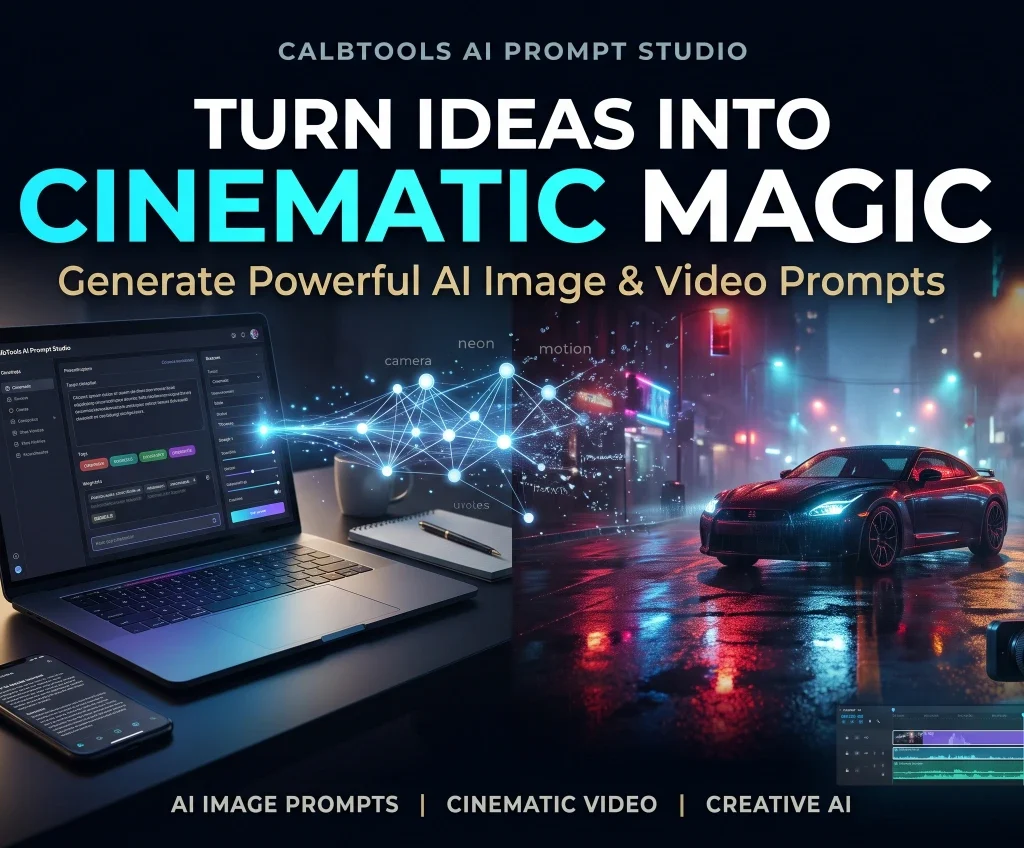
Yahan AI prompt generator ka role shuru hota hai. Ek achha generator aapke basic idea ko professional Master Prompts mein badal deta hai. Is guide mein hum CalbTools AI prompt generator ki madad se cinematic videos, storyboards aur high-quality images ke liye perfect prompts likhna seekhenge—bilkul step-by-step.
CalbTools AI Prompt Studio ka use karein :- https://calbtools.com/ai-prompt-studio.
AI Prompt Generator Kya Hota Hai?
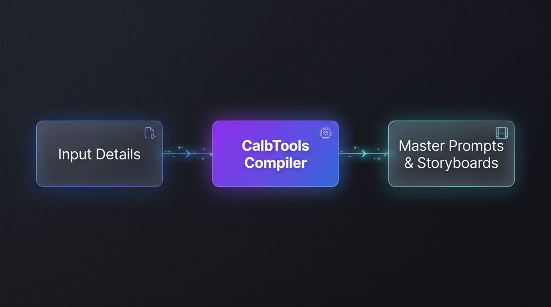
AI prompt generator ek tool ya framework hai jo aapke short idea ko ek detailed, model-friendly prompt mein badal deta hai. Iska kaam sirf “words badhana” nahi hai — iska kaam hai aapke intent ko clear karna, missing details add karna, aur output format specify karna.
Ek achhe prompt mein aam taur par yeh cheezein hoti hain: role, context, task aur format. AI image ke liye isi structure ka visual version hota hai — subject, setting, lighting, style aur framing.
External Sources:
- Runway Gen-3 Documentation: Cinematic prompt structure aur camera control ke official guides.
- Midjourney Documentation: Image prompting parameters (
--ar,--v 6.1,--style raw) ke official details. - Black Forest Labs (FLUX): Photorealistic image generation aur prompt adherence ke official insights.
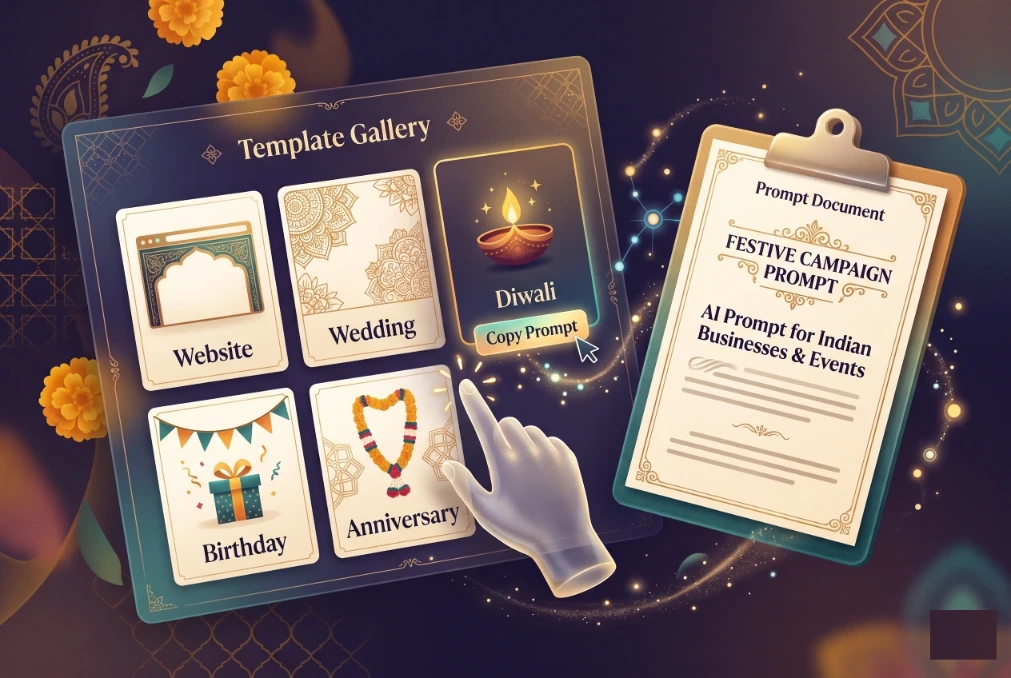
AI Image Prompt Ka Structure: 5 Core Elements.
AI image generators ke saath kaam karte waqt agar aap yeh paanch cheezein include karte hain, to output ki quality mein clear difference dikhta hai:
- Subject (Mukhya vishay): Kaun ya kya dikhna chahiye? Sirf “a woman” likhne se better hai “a woman in a tailored black coat standing at the edge of a fog-covered bridge at dawn”.
- Style aur Medium: Photorealistic, cinematic, watercolor, flat illustration, 35mm film — yeh AI ko batata hai ki image ka overall look kaisa hona chahiye.
- Lighting: Golden hour, soft studio light, neon street lighting, rim light — lighting se hi mood aur depth aati hai.
- Composition aur Framing: Close-up, wide shot, low angle, rule of thirds, shallow depth of field — yeh batata hai ki subject frame mein kaise place ho.
- Mood aur Color Palette: Warm, moody, minimal, vibrant — yeh emotional tone set karta hai.
Ek structured prompt ka simple order hota hai: image type → subject → setting → light → framing. Is order ko follow karne se aapka prompt zyada consistent aur reusable ban jaata hai.
CalbTools AI Prompt Studio Kya Hai?
CalbTools AI Prompt Studio ek high-fidelity (advanced) prompt architecture tool hai jo creators aur filmmakers ke liye specially design kiya gaya hai. Iska core purpose hai Cinematic Video & Storyboard Generation Architecture.
Yeh sirf ek text expander nahi hai; yeh aapke idea ko ek production-level blueprint mein convert karta hai. Is tool ki sabse khaas baat yeh hai ki yeh direct aapko Master Production Prompt aur Matching Still Image Prompts (Midjourney/FLUX) deta hai, jisse aapki video aur uski thumbnail/still image ka look ekdum consistent rehta hai.
AI Prompt Generator Se Image Prompt Kaise Banayein?
Agar aapko AI image tools (Midjourney, FLUX, DALL-E 3) ke liye high-CTR aur photorealistic image prompts chahiye, toh Image Prompt Studio best hai. Yahan aapko manual prompt engineer banne ki zaroorat nahi padti.
Kaise kaam karta hai?
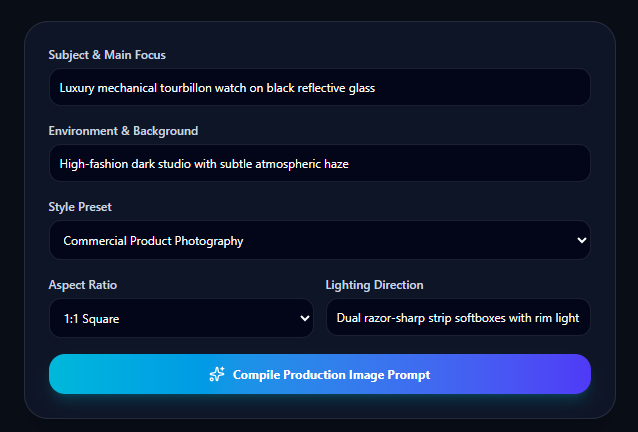
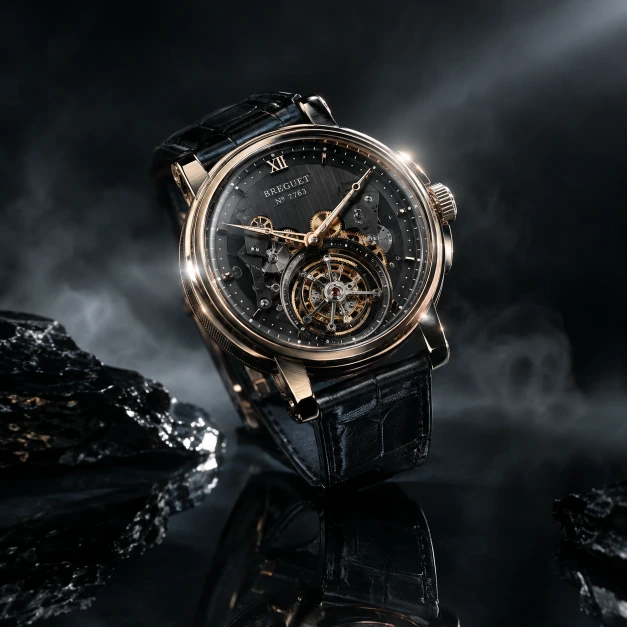
- Subject & Main Focus: Yahan apna main subject likhein. Example: “Luxury mechanical tourbillon watch on black reflective glass”.
- Environment & Background: Background set karein. Example: “High-fashion dark studio with subtle atmospheric haze”.
- Style Preset: Dropdown se style chunein (jaise Commercial Product Photography, Cinematic, etc.).
- Aspect Ratio aur Lighting: Dropdown se aspect ratio (1:1, 16:9) aur lighting direction (jaise Dual razor-sharp strip softboxes with rim lighting) select karein.
- Compile Prompt: ‘Compile Production Image Prompt’ par click karein.
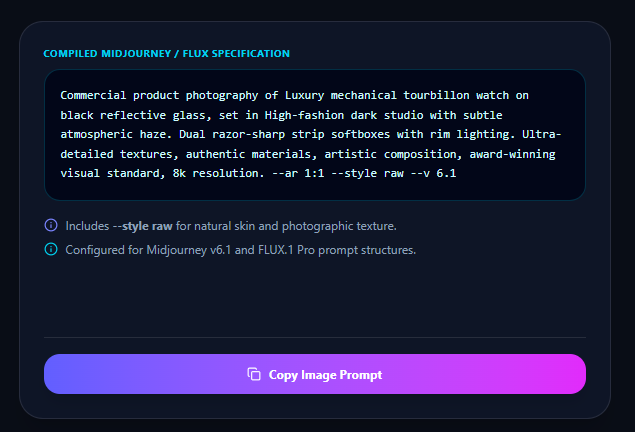
Final prompt:
“Commercial product photography of Luxury mechanical tourbillon watch on black reflective glass, set in High-fashion dark studio with subtle atmospheric haze. Dual razor-sharp strip softboxes with rim lighting. Ultra-detailed textures, authentic materials, artistic composition, award-winning visual standard, 8k resolution. –ar 1:1 –style raw –v 6.1.”
Yeh prompt aap kisi bhi AI image tool mein daal sakte hain — Midjourney, Flux, Ideogram, DALL·E ya Leonardo. Agar aap AI prompt generator tool use karte hain, to yeh poora structure automatically generate ho jaata hai.
Aap bas Prompt ko ‘Copy Image Prompt’ par click karein aur apne AI tool mein paste kar dein.
Cinematic Videos Ke Liye Master Prompts Kaise Generate Karein?
Video generation tools (jaise Runway Gen-3 Alpha, Sora) ke liye sirf text likhna kaafi nahi hota. Unhe camera movements, lighting aur scene structure samajhna zaroori hota hai.
CalbTools AI Prompt Studio mein aapko Cinematic Video Prompts milte hain jo scene-by-scene breakdown ke saath aate hain.
Example dekhte hain:
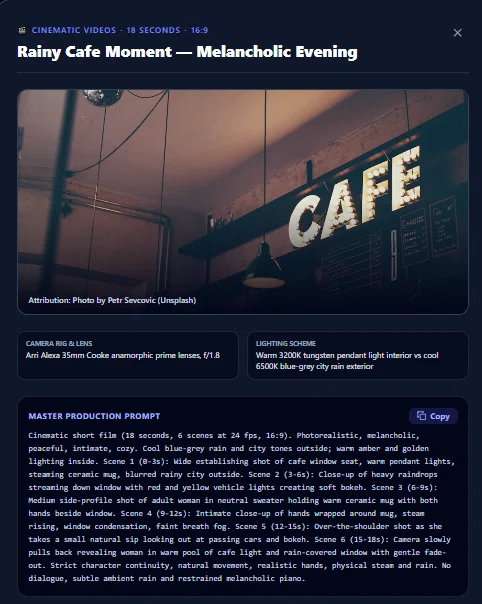
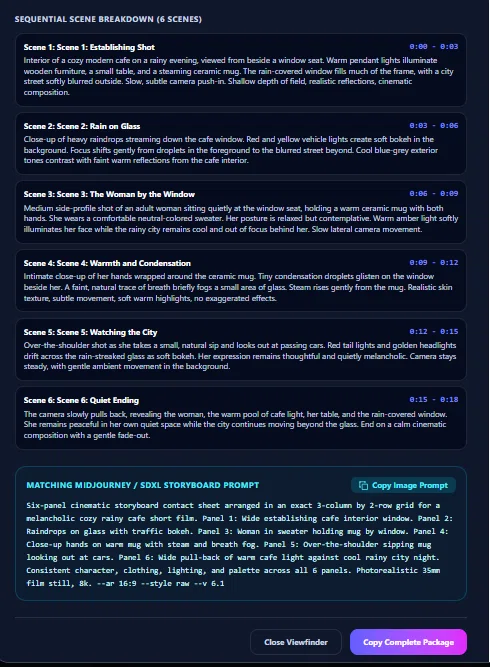
Agar aapko 18-second ka ek melancholic video chahiye, toh tool aapko pehle ek Sequential Scene Breakdown dega (jaise 6 scenes, har scene 3 seconds ka). Har scene mein likha hoga ki camera kya kar raha hai, lighting kaisi hai, aur character kya kar raha hai.
Uske baad aapko ek Master Production Prompt milega, jo kuch is tarah dikhta hai:
“Cinematic short film (18 seconds, 6 scenes at 24 fps, 16:9). Photorealistic, melancholic, peaceful, intimate, cozy. Cool blue-grey rain and city tones outside; warm amber and golden lighting inside… Scene 1 (0-3s): Wide establishing shot of cafe window seat… Scene 2 (3-6s): Close-up of heavy raindrops streaming down window… Camera: ARRI Alexa 35mm Cooke anamorphic prime lenses.”
Yeh prompt itna detailed hota hai ki AI model ko exact idea ho jata hai ki output kaisa aana chahiye.
Storyboard Builder: Apne Video Ko Pehle Se Visualize Karein.
Ek badi problem tab aati hai jab hum video generate karte hain aur uska visual flow humare dimaag wale idea se match nahi karta. CalbTools iska ek bohot hi professional solution deta hai: Contact Sheet Grid (3×2).
Yeh sirf ek text storyboard nahi hai, balki ek pura visual map hai. Jaise hi aap video ka prompt generate karte hain, aapko ek 3×2 ka grid dikhta hai jisme:
- Har scene ka ek visual thumbnail hota hai.
- Scene ka exact timeline diya hota hai (jaise 0:00 – 0:03, 0:03 – 0:06).
- Camera specs (35mm, f/1.8, 24 FPS) aur audio cues (jaise “Soft rhythmic rain patter”) mention hote hain.
- Sabse badi baat: Har individual scene ke neeche do buttons hote hain—Scene Prompt (us specific scene ka text prompt copy karne ke liye) aur Keyframe MJ/FLUX (us scene ki still image generate karne ke liye Midjourney/FLUX prompt).
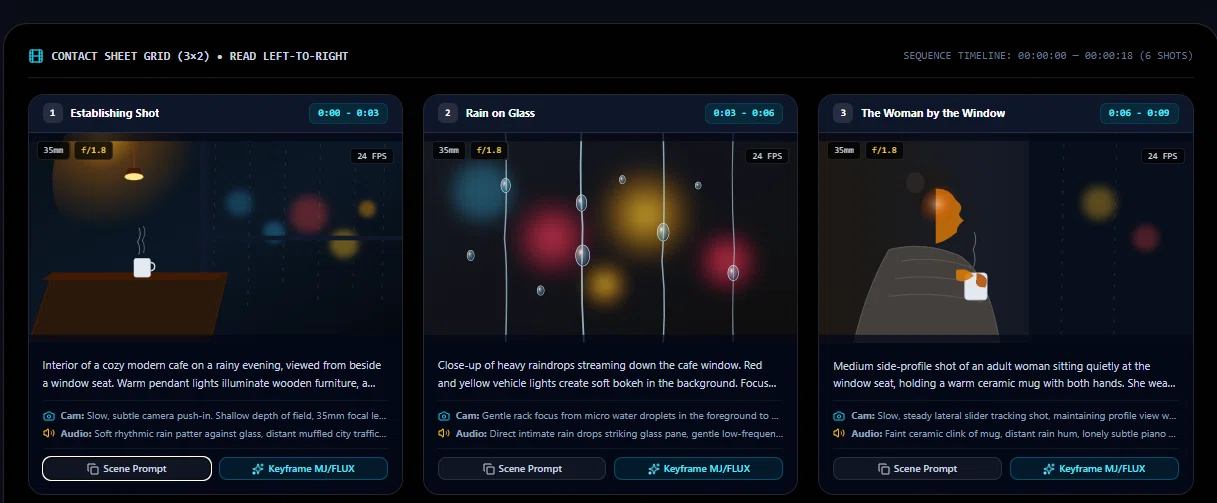
Iska matlab hai ki aap poori video generate karne se pehle hi dekh sakte hain ki aapka scene kaisa dikhega. Agar scene 3 (The Woman by the Window) sahi lag raha hai, toh aap bas uska Keyframe prompt copy karke image bana sakte hain. Isse aapka time aur AI credits dono bachte hain.
Prompt Library aur Built-in Search.
Tool ki sabse badi khasiyat iski Prompt Library hai. Yahan aapko ready-made templates milte hain. Aapko zero se shuru karne ki zaroorat nahi hai.
Aap simply search bar mein keyword daal sakte hain (jaise “Rainy Cafe”, “Sci-Fi Noir” ya “Action Chase”). Aapke paas filters bhi hain jaise All Formats (Video & Image), All Aspect Ratios, aur All AI Models (Runway, Midjourney, etc.). Aapko jo pasand aaye, usse copy karke apne hisaab se modify kar sakte hain.
Common Mistakes Jo AI Prompt Ko Weak Bana Deti Hain.
- Bahut vague rehna: “Make it beautiful” ya “high quality” jaise tags AI ko direction nahi dete. Inhe specific visual details se replace karein.
- Overloading: Ek hi prompt mein 10 alag ideas daalna. Ek prompt, ek clear focus.
- Quality tags par depend karna: “Masterpiece, 8K, ultra-HD” jaise words se zyada impact subject aur lighting details ka hota hai.
- Iterate na karna: Pehle output par hi ruk jaana. Achhe results usually 2–3 refinements ke baad aate hain.
- Model-specific differences ignore karna: Har AI model ka prompt interpretation thoda alag hota hai. Jo Midjourney ke liye perfect hai, woh DALL·E ke liye ideal nahi ho sakta.
CalbTools Ka Role (Aapke Liye).
Agar aap ek filmmaker, content creator ya AI artist hain, toh CalbTools AI Prompt Studio aapke workflow ko simplify kar dega. Yeh completely free hai, bina kisi login ya complex setup ke. Aap https://calbtools.com/ai-prompt-studio par jaakar directly prompt structure generate karna shuru kar sakte hain. Yeh aapko raw ideas se lekar production-ready prompts tak le jata hai.
1. Kya CalbTools AI prompt generator free hai?
Haan, bilkul free hai. Koi paid subscription, hidden limits ya watermarks nahi hain. Aap ise unlimited baar use kar sakte hain.
2. Kya main is tool se AI images bhi bana sakta hoon?
Yeh tool khud images nahi banata, balki AI image models (jaise Midjourney, FLUX, DALL-E) ke liye ekdum professional aur compiled prompts banata hai. Aap prompt copy karke apne pasandida AI tool mein daal sakte hain.
3. Kya yeh Runway Gen-3 ke liye kaam karega?
Bilkul. CalbTools ke Master Prompts specifically cinematic video generators (jaise Runway Gen-3, Sora, Pika) ke liye designed hain, jisme camera angles, lighting aur scene lengths clearly mentioned hote hain.
4. Kya prompt generate karne ke liye login karna padta hai?
Nahi, is tool ko use karne ke liye kisi bhi tarah ki registration, signup ya login ki zaroorat nahi hai. Yeh directly browser par kaam karta hai.
5. Prompt Studio aur Storyboard Builder mein kya difference hai?
Image Prompt Studio aapko single still images ke liye high-end prompts deta hai. Wahi, Storyboard Builder aapko poore 6-scene ke sequential breakdown ke saath ek Master Video Prompt aur matching still image prompts deta hai.
6. Mera data (prompts) store hota hai kya?
Tool me aap jo bhi type karte hain, woh purely aapke browser par process hota hai. Aapki privacy aur data security bilkul intact rehti hai.