
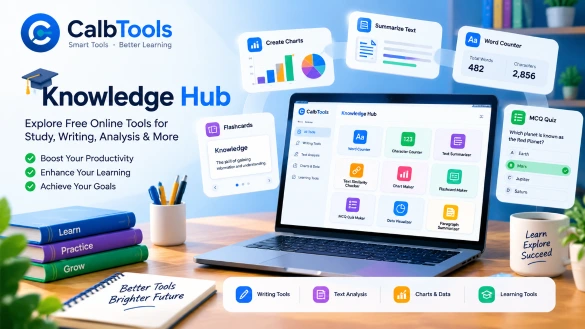
Introduction:– Have you ever spent more time organizing your notes than actually studying them? Or perhaps you have stared at a blank page, struggling to summarize a long chapter into concise points? If you are a student, teacher, or lifelong learner, you know that the right learning tools can make the difference between a chaotic study session and a productive one.
Access to the internet has revolutionized how we learn, but it has also introduced distractions. The challenge isn’t just finding information; it’s processing and retaining it. This is where free online study tools come into play. The right digital utilities don’t just save time; they help you understand material better and prepare effectively for exams. In this guide, we will explore how you can use a suite of browser-based tools to streamline your learning process without spending a single rupee or compromising your privacy.

Why You Need Purpose-Built Educational Tools
Not every tool needs to be a complex software installation. Many students rely on built-in word processors or manual counting, which is time-consuming and prone to error. Free tools for students that are designed for specific tasks—like counting characters, checking text similarity, or generating quizzes—offer a more direct path to productivity.
Moreover, traditional software often requires downloads, accounts, and constant updates. Modern web-based educational tools run entirely in your browser. This means you can access them from any device, whether it is a library computer, a smartphone, or a personal laptop, without the hassle of installation. The focus shifts from managing software to managing your actual study material.
A Step-by-Step Workflow Using the CalbTools Suite
At CalbTools, we have curated a collection of tools to address the most common study hurdles. Here is how you can integrate them into your daily routine.
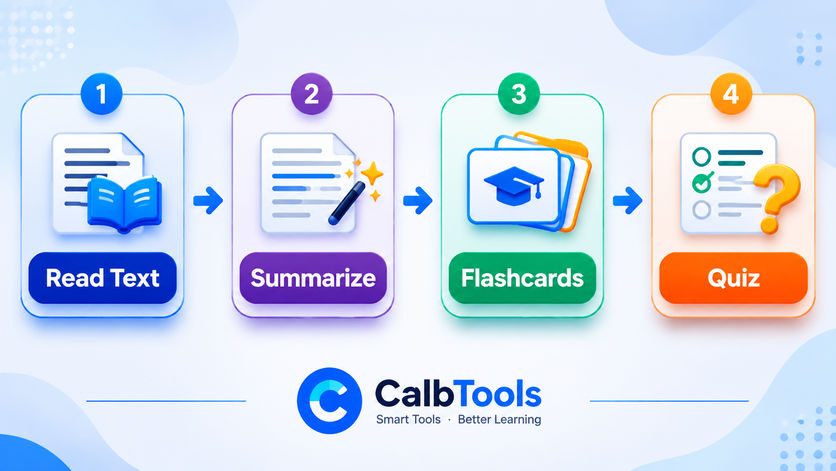
Step 1: Analyze and Summarize Your Reading
Before you can memorize information, you must condense it. Start by pasting your reading material into our Paragraph Summarizer. This tool helps you break down dense text into digestible bullet points.
- How to use it: Paste your text, run the summarizer, and use the output to create your initial study notes.
Step 2: Check for Originality and Plagiarism
If you are writing an essay or a research paper, ensuring your work is original is critical. Our Text Similarity Checker allows you to compare your draft against the original source material. It uses Jaccard and Cosine algorithms to show you exactly how much your text overlaps with the source.
- How to use it: Paste the original text in “Text A” and your rewritten version in “Text B.” Review the similarity score and adjust your paraphrasing where the score is high. Remember, this tool is for text-to-text comparison, not a web-wide plagiarism scan.
Step 3: Create Interactive Study Materials
Reading notes repeatedly is a poor way to memorize. Active recall—testing yourself—is far more effective. Use our Flashcard Maker to create digital flashcards for key terms and definitions. For more comprehensive testing, the MCQ Quiz Maker allows you to generate multiple-choice questions based on your notes.
- How to use it: Input your questions and options, and use the quiz maker to test your knowledge before an exam.
Step 4: Prepare for Submissions
Once your content is ready, use the Word Counter and Character Counter to ensure you meet specific submission guidelines. Whether you need to write a 500-word essay or fit a description into a social media post, these tools help you stay within limits.
Step 5: Visualize and Analyze Data
If your subject involves data, use the Data Visualizer to turn raw numbers into charts. For presentations, the Chart Maker can help you create professional bar graphs or pie charts without needing advanced spreadsheet skills.

Common Mistakes to Avoid
Even with the best learning tools in education, how you use them matters. Here are a few common pitfalls:
- Relying solely on summarizers: Tools can help you condense text, but they cannot replace your critical thinking. Always review the summary for accuracy.
- Ignoring context: When using a text similarity checker, do not try to cheat the system by replacing words with synonyms if the meaning changes. Use the tool to ensure genuine originality.
- Skipping active recall: Generating flashcards is not enough; you have to actually use them regularly. Consistency is key.
A Note on Privacy and Accessibility
Many websites promise free services but monetize your data. At CalbTools, our tools are designed to run entirely in your browser. This browser-based architecture means your text and data are processed locally on your device and are not uploaded to a server. For students working on sensitive research or personal notes, this privacy-first approach is a significant advantage.
Why “Free” Matters
Education is already expensive. The availability of high-quality free online study tools levels the playing field. Whether you are studying in a metro city or a small town, you have access to the same digital utilities as anyone else. No subscriptions, no hidden fees, and no login requirements. Just tools that work.
Conclusion
Mastering your studies is about working smarter, not just harder. By integrating these simple, browser-based utilities into your routine, you can save time, improve the quality of your work, and focus on what truly matters: understanding the material. Explore our full suite of tools today and take control of your learning journey.
1. Are these free online study tools really free?
Yes. All the tools available on our platform are free to use. There are no hidden charges, premium tiers, or subscription requirements to access the core features.
2. Do I need to create an account to use the tools?
No. account or login is required. You can access the tools directly through your web browser and start using them immediately.
3. Is my data safe when using these educational tools?
Yes. Our tools are designed to process data locally in your browser. This means your text is not uploaded to a server, ensuring your privacy is maintained.
4. Can I use the Text Similarity Checker to check plagiarism against the entire internet?
No. The Text Similarity Checker is a text-to-text comparison tool. It tells you how similar your text is to a specific source you paste, but it does not scan the web for other copies.
5. Are these tools suitable for teachers as well as students?
Absolutely. Teachers can use the MCQ Quiz Maker and Flashcard Maker to create resources for their classes. The word counter and summarizers can also assist in lesson planning.
